Product Vision
WorkSmart turns the friction of recording work into a few seconds of plain language — then layers AI that suggests and people who confirm, so a manufacturing team can see where its time, projects, and procurement documents actually stand.
01The problem
Meridian Manufacturing knows how busy it is. It can't see how it spends its time.
Meridian runs projects across engineering, operations, procurement, and finance — but the record of where the work actually went lives in timesheets nobody enjoys filling in, status updates assembled by hand the night before a review, and a drawer of purchase orders, vendor quotes, and requisitions that only get reconciled when something goes wrong.
The cost isn't a missing feature; it's friction and blind spots. Logging time is tedious, so it's done late and roughly. Project health is a gut feel until someone collates it. Procurement documents are captured but not connected to the work they belong to. Each gap is small; together they mean leadership is steering on lagging, low-confidence information.
Time is logged late
Rigid timesheets get back-filled from memory, so the data is both a chore to produce and too coarse to trust.
Status is hand-assembled
Project health is reconstructed manually for each review — slow to produce and stale the moment it's written.
Documents float free
POs, quotes, and requisitions are stored but disconnected from the time and projects they relate to.
02The people
Four roles, one shared frustration: the system should do the busywork, not the human.
The logger
An engineer or ops staffer on the floor or at a desk. Wants to record a day's work in seconds and get back to it — not learn a timesheet UI.
Needs: speed, low ceremonyThe project manager
Owns delivery across a team. Needs an honest, current read on each project — what's blocked, what's overdue, where hours are really going.
Needs: live status, no manual roll-upsThe procurement reviewer
Handles vendor quotes, requisitions, and purchase orders. Needs documents captured, extracted, and moved through review without re-keying.
Needs: extraction, a clear queueThe admin / leadership
Manages team membership and access, and watches capacity and anomalies. Needs aggregate truth, not a spreadsheet export.
Needs: oversight, control03The solution
One place to log work, run projects, and process documents — with AI removing the busywork at each step.
WorkSmart starts from the smallest possible unit of friction: the check-in. You type a day in a strict, fast grammar — <number> [hr|hrs] #<tag> <activities> — and it's parsed, stored, and ready to roll up. From there, the same logged time feeds projects, the same AI seam powers five touchpoints, and procurement documents get a real home linked back to the work.
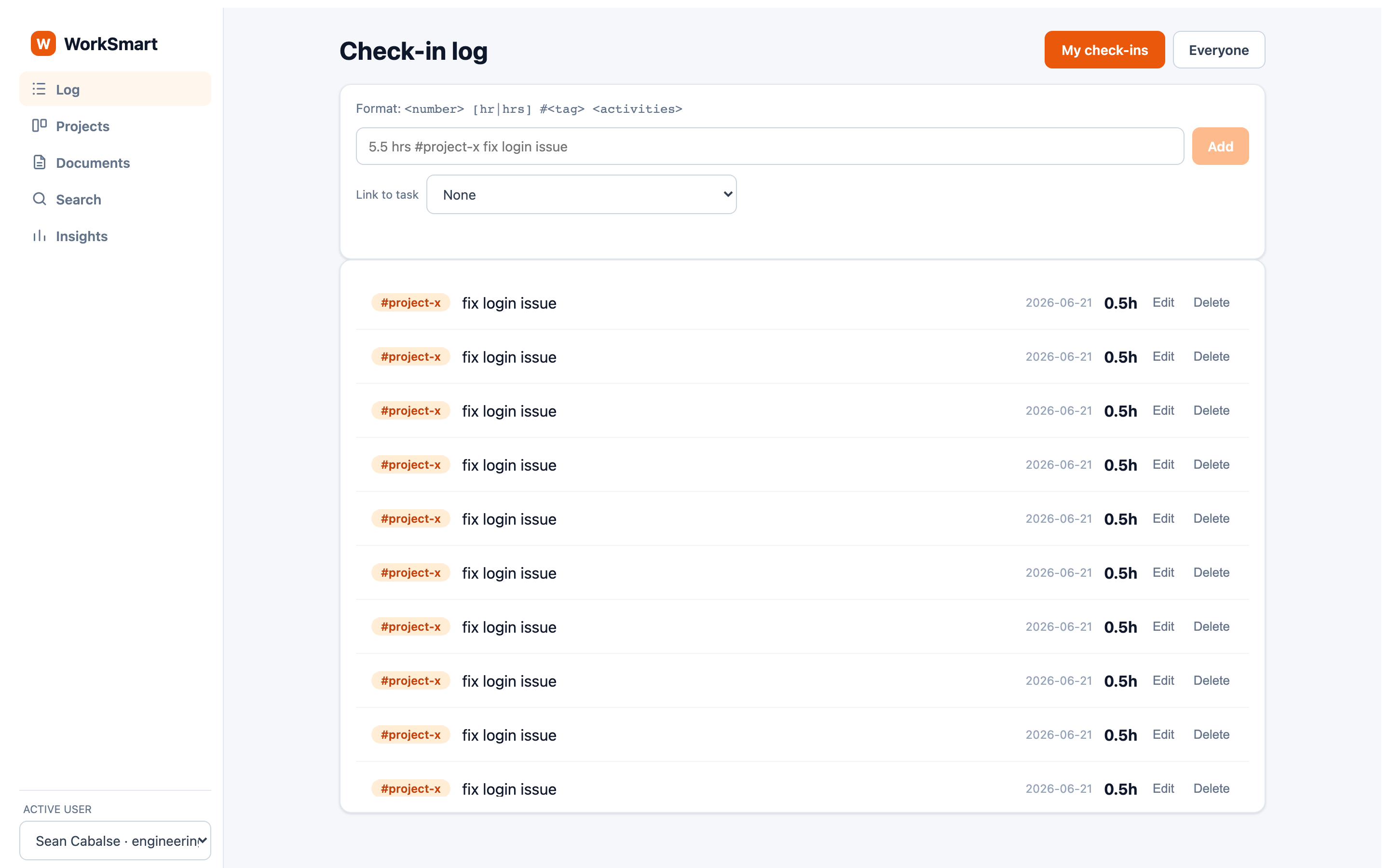
The five AI touchpoints are framed as user value, not technology for its own sake:
| For the user | What WorkSmart does |
|---|---|
| "Tag this for me" | Smart Categorization suggests a #tag as you type a check-in — accept it or ignore it. |
| "Read this document" | Document Analysis extracts vendor, totals, and line items from an uploaded file and proposes a status. |
| "Find it in plain English" | Natural-Language Search turns a sentence into filters over check-ins or documents. |
| "Tell me what's off" | Anomaly Detection flags check-ins that are unusual against each person's own typical hours. |
| "Draft my status update" | The AI Project Status Narrative drafts a health read from a project's task mix and logged hours. |
04Design philosophy
Every AI feature follows one rule: AI suggests, the user confirms.
WorkSmart never quietly acts on its own analysis. A suggested tag is a chip you click; an extracted document status is an Apply button; a generated narrative is an editable textarea the PM owns the words to. Suggestions are surfaced with transparency — confidence, the parsed interpretation, the raw reason — and they remain overridable everywhere.
Trust is the product. A manufacturing team will only lean on a system whose outputs it can see into and correct. "AI suggests / you confirm" keeps a human accountable for every recorded fact, which is exactly what makes the AI safe to rely on.
A second principle runs underneath: one obvious way to do things. One grammar for time, one shared contract between the browser, the server, and the database, one interaction model for AI. That consistency is what keeps the product fast to learn and fast to change.
05Where it's going
From a time-tracking tool to a project control system.
The foundation — projects and tasks on a board, with logged time rolling up through a nullable task link — is the spine for a larger vision: WorkSmart as a project control system. Five pillars hang off that foundation, each designed-for in the current schema and signals:
Outcome / confidence layer
Track not just status but how confident the team is in hitting the outcome.
Cross-team dependency control
Make the dependencies between teams visible and manageable, not implicit.
AI status-narrative generator
The headline pillar, already shipped in its first form — drafts project health from real signals.
Capacity-realism engine
Use logged hours to ground plans in what the team can actually deliver.
Native RAID + decision log
Risks, assumptions, issues, dependencies, and decisions captured in the tool, not a side doc.
The throughline
Each pillar reuses the same data and the same "AI suggests / you confirm" posture — the vision grows without changing what makes WorkSmart trustworthy.